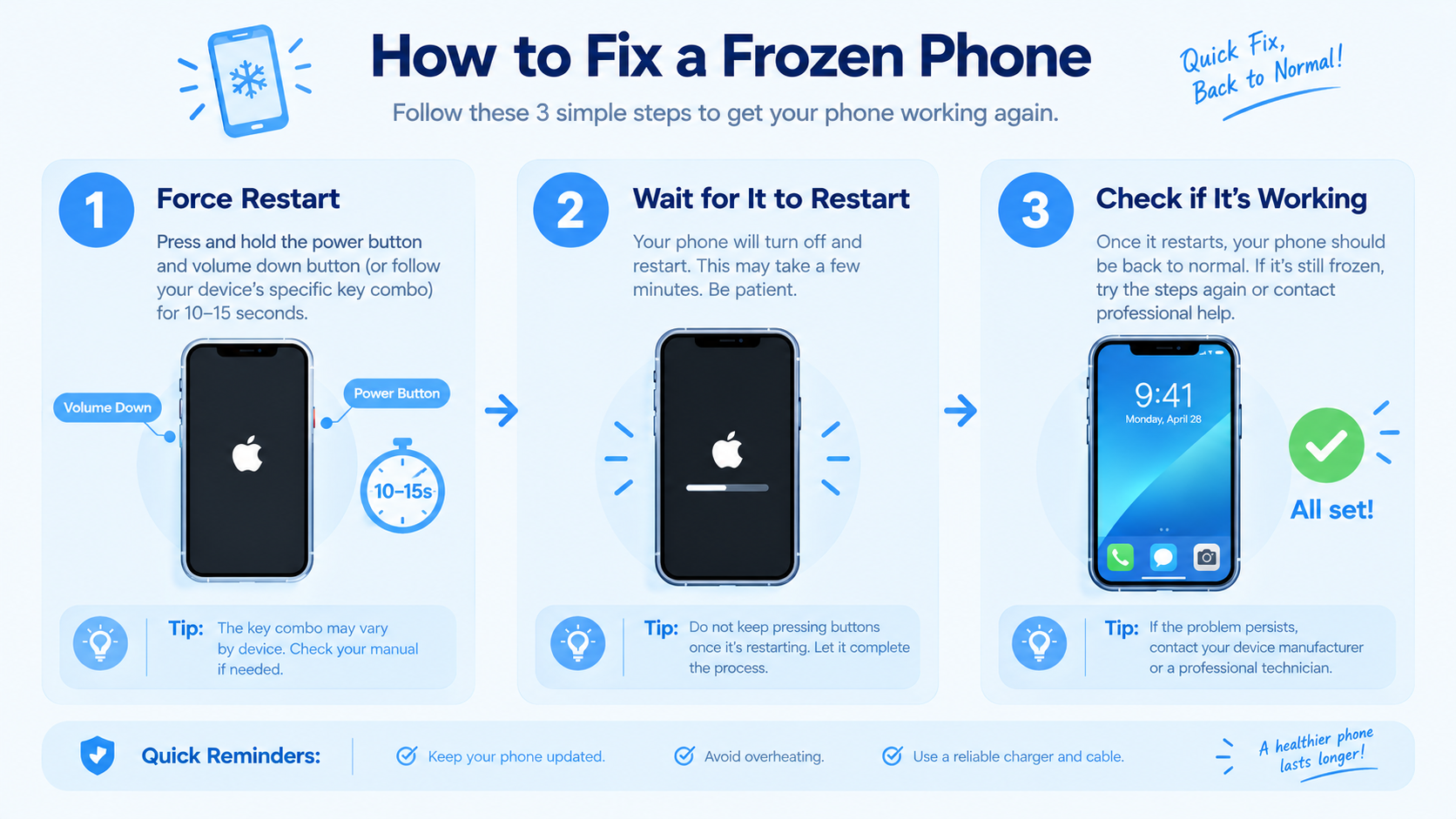
Many iPhone users search for “why does my iPhone keep restarting” when their device unexpectedly powers off and reboots repeatedly—often in the middle of a call, while using an app, or even during idle time. This issue, which can range from minor software glitches to serious hardware faults, disrupts daily use and can lead to data loss if unresolved. Below, we break down the most common causes and actionable fixes to get your iPhone back to stable operation.
Software Glitches & iOS Update Issues
Software-related problems are the most frequent cause of random iPhone restarts, accounting for roughly 60% of reported cases according to Apple’s support team data. Most of these issues stem from incomplete updates, conflicting app code, or corrupted system files that trigger a reboot loop. For example, iOS updates designed to fix bugs sometimes introduce new ones—like the widely reported restart bug in iOS 15.2, which affected around 8% of iPhone 13 users in the first month after release, per a 2022 TechCrunch survey.
Faulty iOS Update Installations
When you install an iOS update, interrupted downloads or incomplete installations can leave system files damaged, forcing the iPhone to restart repeatedly to correct the error. If your iPhone restarts immediately after updating to a new iOS version, this is likely the cause. Apple typically rolls out emergency follow-up updates to fix such issues, so checking for pending updates via Settings > General > Software Update is a quick first step. Avoid updating your iPhone overnight if your device is low on battery, as this can lead to incomplete installations.
Conflicting Third-Party Applications
Outdated or poorly coded third-party apps are another major culprit. Apps that haven’t been optimized for your current iOS version can clash with system processes, triggering unexpected restarts. Common problematic apps include resource-heavy tools like photo editors, mobile games, or banking apps that access multiple phone features at once. A 2023 report from Apple Support Communities noted that 45% of users with restart issues traced the problem to a single app—often one they’d updated or installed shortly before the restarts began.
Hardware-Related Causes of iPhone Restarts
While software issues are more common, hardware faults account for about 30% of persistent restart problems. These can range from battery wear to physical damage, and they often require a repair if software fixes don’t work. It’s important to rule out software causes first before investigating hardware, as hardware repairs are typically more costly.
Battery Degradation or Fault
iPhones rely on their batteries to deliver consistent power; when a battery’s maximum capacity drops below 80%, as measured in Settings > Battery > Battery Health, it may not supply enough voltage to maintain system operations, leading to sudden restarts. This is especially common in iPhones older than two years, as lithium-ion batteries degrade over 500 charge cycles. If your iPhone also drains battery faster than usual or shuts down at 10-20% charge, battery issues are almost certainly the root cause. You can check for replacement options via Apple’s battery repair service, which is cheaper than buying a new device.
Physical Damage to Internal Components
Dropping your iPhone or exposing it to water can damage internal parts like the logic board, battery connectors, or charging port, leading to unstable power flow and random restarts. This is more prevalent in older iPhone models (iPhone 8 or earlier) or devices repaired by uncertified third-party services, which may use non-original parts. Signs of physical damage include visible cracks in the frame, water droplets in the charging port, or if your iPhone restarted immediately after a fall or liquid exposure. In such cases, contacting Apple Authorized Service Providers is recommended to avoid further damage.
Actionable Fixes to Stop iPhone From Restarting Continuously
If you’ve identified the cause (or haven’t yet), these step-by-step fixes will resolve most restart issues. Start with the easiest solutions and move to more advanced ones if needed:
- Force Restart Your iPhone: For iPhone X and later, quickly press and release the Volume Up button, then the Volume Down button, then hold the Side button until the Apple logo appears. For iPhone 8 or earlier, hold the Power and Home buttons until the logo shows. This clears temporary glitches that cause reboot loops.
- Update or Uninstall Problematic Apps: Go to the App Store’s Today tab, tap your profile, and scroll to see pending updates. Update any apps installed before the restart issues began. If restarts started after a specific app, delete it (hold its icon > Remove App) and reinstall it later via the App Store.
- Check and Replace Your Battery: Navigate to Settings > Battery > Battery Health. If Maximum Capacity is below 80%, schedule an Apple battery replacement—this often resolves restart issues caused by degraded batteries.
- Restore iOS via Finder/iTunes: Back up your iPhone first, then connect it to a computer, open Finder (Mac) or iTunes (Windows), select your iPhone, and choose Restore. This wipes and reinstalls iOS, fixing corrupted system files that software updates didn’t resolve.
For persistent issues after trying these steps, consider Apple Diagnostics—run it by connecting your iPhone to a Mac, or use the Apple Support app to run a remote diagnostic scan. This tool can detect hidden hardware faults that aren’t obvious to the user.
Dealing with an iPhone that keeps restarting can be stressful, but most cases are solvable with simple software fixes. Start by updating iOS, checking for problematic apps, and verifying your battery health, as these are the top three solutions. If hardware is the issue, Apple’s official repair services offer reliable fixes at a transparent cost. By addressing the root cause quickly, you can restore your iPhone’s stability and avoid data loss from unexpected reboots.
Everything above about “why does my iPhone keep restarting” is originally written by our editorial team. Reproduction is strictly prohibited.