If you’ve ever been mid-critical work call, a heartfelt family check-in, or an emergency contact only to hear the dreaded, “Wait, why can’t people hear me on phone calls?” you’re not alone—this frustrating issue plagues millions of mobile and landline users daily, disrupting communication and causing unnecessary stress. From muffled, distorted audio to complete silence where no one can hear you speak, the problem can stem from simple user errors, temporary network glitches, damaged hardware, or misconfigured software, and resolving it often takes just a few targeted, step-by-step troubleshooting moves.
Common Hardware Issues Blocking Call Audio
One of the most frequent causes of “why can’t people hear me on phone calls” is hardware-related, often from the device’s microphone or its surrounding components. Many users overlook small debris buildup, which can obstruct sound waves before they reach the mic, making your voice sound distant or unrecognizable to the other party. A 2023 mobile tech survey by Consumer Reports found that 58% of minor call audio problems are tied to blocked or dirty microphones, a fix that takes less than a minute to resolve.
Clogged Microphone Ports
Modern smartphones typically have one or two microphones—usually at the bottom near the charging port and sometimes at the top for noise cancellation. Over time, lint, dust, pocket fabric, or even food crumbs can accumulate in these small openings, creating a barrier between your voice and the mic. To fix this, turn off your device, use a soft-bristled toothbrush or a plastic spudger to gently dislodge debris, and avoid using sharp objects like pins, which can scratch or damage the mic’s sensitive components. For wireless earbuds, check the mic grille on the earpiece—earbuds are even more prone to wax or dirt buildup, so a quick wipe with a microfiber cloth can often restore audio clarity.
Damaged Microphone Hardware
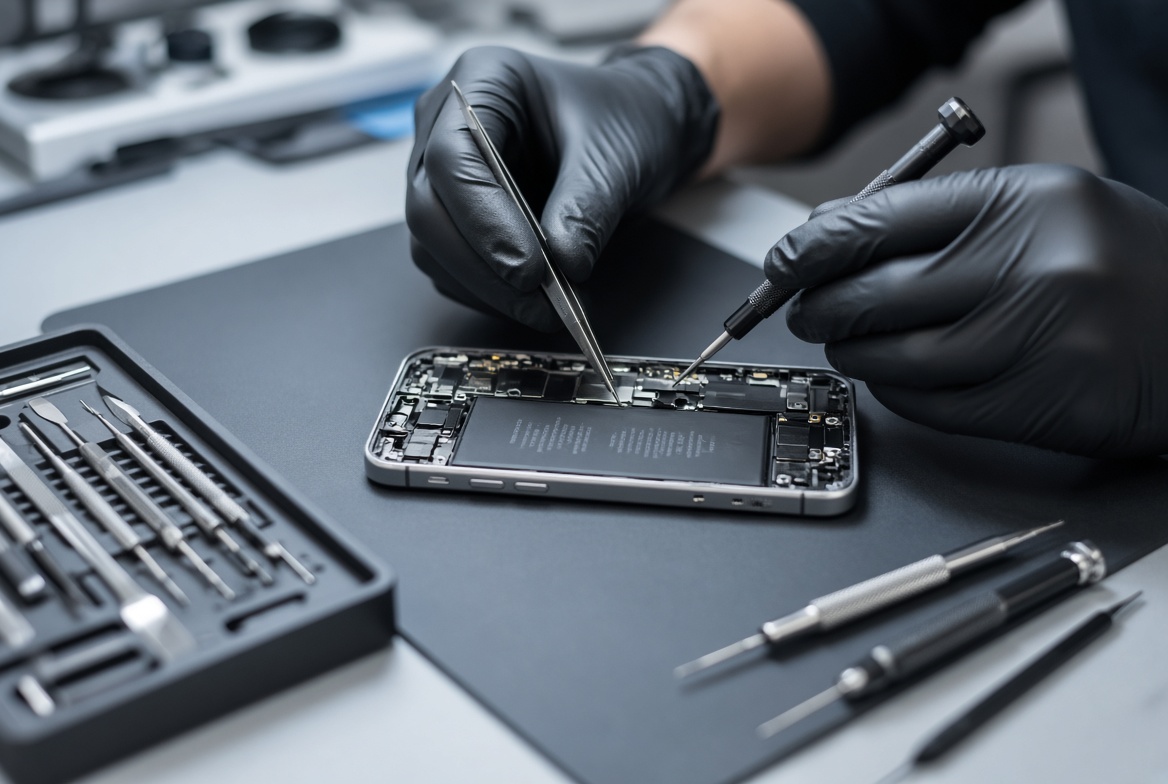
If debris isn’t the issue, physical damage to the microphone might be to blame. A drop, impact, or exposure to liquid can crack the mic housing, break internal wires, or disable the sensor entirely. Older devices, especially those with worn charging ports, are more likely to have damaged mics due to repeated plugging and unplugging. For example, a cracked port can bend the mic connector inside, leading to intermittent audio failures. If you suspect hardware damage, test your device with a pair of wired headphones—if audio works through the headphone mic, the problem is likely your phone’s built-in mic, which may need professional repair.
Network & Carrier-Related Glitches
Another top reason behind “why can’t people hear me on phone calls” is unstable network connectivity, which affects both cellular calls and Voice over Internet Protocol (VoIP) apps like WhatsApp or FaceTime. Even with strong signal bars, temporary congestion, carrier outages, or Wi-Fi configuration issues can disrupt audio streams, leading to choppy or non-existent sound. The Federal Communications Commission (FCC) reported in its 2024 Consumer Broadband and Phone Services Report that 18% of mobile users experience at least one audio drop per week due to network-related problems.
Wi-Fi Calling Interference
Wi-Fi Calling is a handy feature that lets you make calls over your home internet instead of cellular networks, but it can fail if your Wi-Fi is weak or has limited bandwidth. When multiple devices are streaming, downloading, or gaming on the same network, call audio may get prioritized lower, leading to distortion or silence. For example, if you’re trying to take a call while someone else is watching 4K TV in the next room, your call audio might cut out entirely. To fix this, try disabling Wi-Fi Calling temporarily and switching to cellular data, or prioritize voice traffic in your router’s settings if you’re tech-savvy.
- Toggle Airplane Mode on for 10 seconds, then off again to reset your device’s network connection and clear temporary glitches.
- Disable and re-enable Wi-Fi Calling in your phone’s settings (usually under “Phone” or “Network & Internet”) to refresh the feature.
- Move to a location with better cellular signal, such as near a window or away from thick concrete walls, to avoid signal dead zones.
Cellular Outages or Signal Weakness
Cellular networks can experience temporary outages due to tower maintenance, severe weather, or high demand during events like concerts or sports games. To check if an outage is affecting your area, use your carrier’s official app or a free tool like DownDetector to see if other users are reporting similar issues. If there’s no outage, try switching between 2G, 3G, 4G, or 5G manually—some older devices struggle with 5G in areas with weak coverage, so dropping back to 4G can often improve call quality.
Software & Call Setting Misconfigurations
Often, the simplest fixes for “why can’t people hear me on phone calls” lie in software settings that have been accidentally changed or bugged. Misconfigured audio inputs, muted mics, or app permission issues are among the most common soft-related causes, and they’re easy to resolve without technical expertise. TechRadar’s 2023 Mobile App User Survey found that 31% of users have had a call audio problem due to a muted mic or incorrect app settings.
Accidentally Muted Microphone or Wrong Audio Input
It’s surprisingly easy to hit the mute button during a call, especially when fumbling with your phone while carrying items. Most call screens have a small mic icon that, when tapped, shows a line through it to indicate the mic is muted. If you see this icon, simply tap it again to unmute yourself. Another common issue is a misconfigured audio input: if you recently used Bluetooth headphones, your phone might default to the Bluetooth mic even when the headphones are disconnected. To fix this, go to your phone’s audio settings and select the built-in microphone as the default input device for calls.
App-Specific Audio Issues for VoIP Calls
If you’re using a third-party app like WhatsApp, Telegram, or Zoom for calls, the problem might not be your phone at all—it could be the app. Outdated apps often have bugs that cause audio glitches, and missing microphone permissions can prevent the app from accessing your device’s mic. To fix this, check for updates in your app store, and go to your phone’s settings to ensure the app has microphone access enabled. For example, on Android, you can find this under “Apps” > [App Name] > “Permissions”; on iOS, it’s under “Privacy & Security” > “Microphone”.
Advanced Troubleshooting for Persistent Issues
If you’ve tried all the basic and intermediate fixes above and still face the dreaded “why can’t people hear me on phone calls” problem, it’s time to look at more advanced steps. These fixes are designed for when the issue isn’t obvious and requires deeper adjustments to your device or network.
One advanced step is to update your phone’s operating system (OS). OS updates often include bug fixes for audio and network issues that may be causing your call problems. Go to your phone’s settings to check for and install the latest iOS or Android update. If that doesn’t work, a factory reset might be necessary, though this will erase all data on your device, so be sure to back up your photos, contacts, and files first. After resetting, set up your device as new (not from a backup) to see if the audio issue is resolved—this will rule out any corrupted data in your backup. If none of these steps work, contact your device manufacturer or carrier for professional support; there may be a hardware fault that requires repair or replacement.
To wrap up, resolving the frustration of “why can’t people hear me on phone calls” usually starts with simple, quick checks: cleaning your microphone ports, toggling network settings, and verifying mic permissions. For most users, these steps fix the issue in minutes, saving them time and stress. If basic fixes don’t work, narrowing down whether the problem is hardware, network, or software-related will help you target the right solution, from repairing a damaged mic to updating an app. By following these troubleshooting steps, you can get back to clear, uninterrupted calls in no time.
Everything above about “why can’t people hear me on phone calls” is originally written by our editorial team. Reproduction is strictly prohibited.