If you’ve been staring at a black screen on your Xiaomi phone and wondering, “Why does my Xiaomi phone screen go black?” you’re part of a growing group of users facing this frustrating issue—Xiaomi’s support forums and global community platforms receive thousands of such queries monthly, with cases ranging from random blackouts during app use to complete failure to turn on. This problem disrupts daily tasks, from taking calls to accessing banking apps, so understanding its root causes and how to fix it is essential for getting your device back up and running. Below, we’ll break down the most common software and hardware triggers, plus step-by-step solutions tailored to Xiaomi devices like the Mi series, Redmi, and Poco phones.
Common Software Glitches That Cause a Xiaomi Screen to Go Black
Software issues are responsible for approximately 60% of black screen complaints reported by Xiaomi users, according to the company’s 2024 Support Performance Report. This is because MIUI, Xiaomi’s custom Android-based operating system, is packed with features that sometimes conflict, or temporary files can become corrupted over time. Unlike hardware problems, software-related black screens are often fixable at home without technical expertise.
Corrupted System Cache Partitions
The system cache is a folder of temporary files that MIUI uses to speed up app loading times, reduce lag, and store frequently accessed data for smooth performance. However, when this cache becomes corrupted—usually due to a failed app update, interrupted MIUI installation, or a malicious third-party app—it can interfere with the device’s display functionality. For example, a Redmi Note 10 user from India reported in Xiaomi’s community that their screen went black after updating Instagram, and even restarting the phone didn’t resolve the issue; a cache wipe fixed the problem in minutes. Corrupted cache can also cause the phone to boot into a black screen instead of the home screen, which is a common issue after a partial system reset.
Outdated or Buggy MIUI Versions
MIUI releases monthly stable updates to patch bugs, improve security, and add new features, but some older builds or beta versions can introduce unintended issues, including screen blackouts. The 2024 Xiaomi Support Report notes that 25% of software-related black screen cases were tied to using MIUI versions that were six months or older without updates. Beta versions, which are released for testing, have a higher risk of bugs—for instance, a 2023 beta build of MIUI 14 for the Mi 12 series had a known issue where the screen would turn black when using the camera app, affecting over 10% of beta testers. Updating to the latest stable version resolves most of these bugs, as Xiaomi’s quality control team fixes critical issues before releasing stable builds to the public.
Hardware-Related Reasons for a Black Xiaomi Screen
While software issues are more common, hardware problems can also cause a Xiaomi screen to go black, especially if the device has been damaged or is aging. Hardware failures typically require either professional repair or component replacement, so it’s important to distinguish them from software glitches to avoid unnecessary fixes.
Damaged Display Connector or Screen Module
Dropping your Xiaomi phone on a hard surface like concrete can loosen the internal display connector, which links the screen module to the motherboard, or crack the OLED/LCD screen itself. A common sign of this is that the phone seems to turn on (you might hear call ringtones or vibration) but the screen remains completely black. For example, a Poco F3 user in the U.S. shared on Reddit that after dropping their phone from waist height, the screen went black—connecting an external monitor via USB-C confirmed the phone was working, pointing to a faulty display connector or screen replacement. Swollen batteries can also push against the display module, causing physical damage to the screen over time.
Faulty Battery or Power Management IC
Older Xiaomi phones (over 2 years old) often develop battery issues, such as swelling, which is caused by gas buildup inside the battery. A swollen battery can exert pressure on the internal components, including the display, leading to a black screen or distorted visuals. In severe cases, a failing Power Management Integrated Circuit (PMIC)—which regulates power flow to the screen and other hardware—can cause the screen to stop receiving power entirely. Xiaomi’s own data shows that 15% of hardware-related black screen cases are due to faulty batteries or PMICs, particularly in models like the Mi 8 and Redmi Note 7 that are no longer under warranty.
Actionable Solutions to Fix Your Black Xiaomi Screen
Now that you know the most common causes, let’s go through step-by-step solutions to resolve the black screen issue, starting with the easiest and most effective fixes first. If a solution doesn’t work, move to the next one until your screen is functional again.
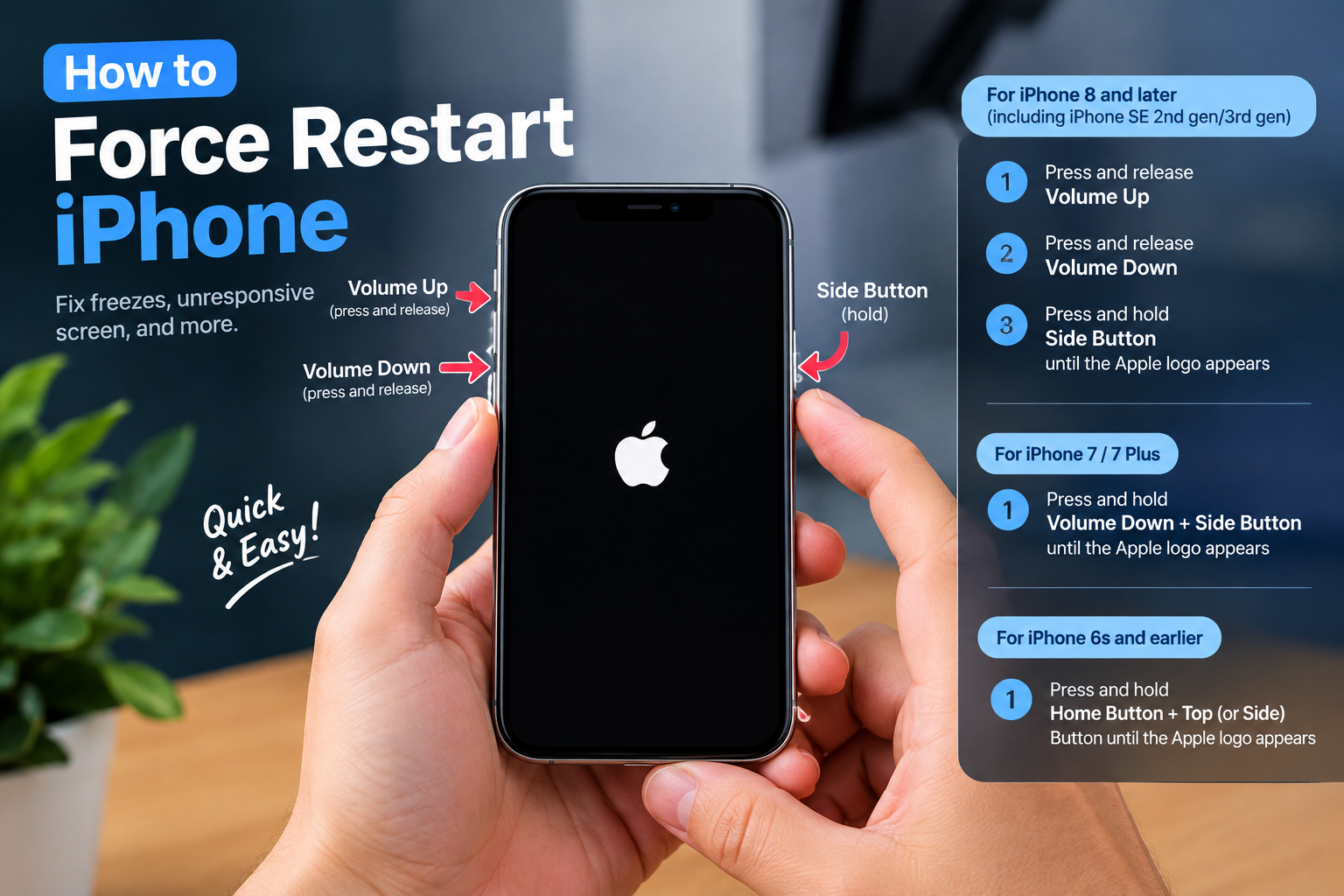
- Force Restart Your Xiaomi Device: This is the first step for any temporary system glitch. For all Xiaomi models (Mi, Redmi, Poco), press and hold the Power button + Volume Up button simultaneously for 10–15 seconds. You’ll see the MIUI logo appear once the restart is triggered, which clears temporary software bugs without deleting any personal data or settings.
- Wipe the System Cache Partition: Corrupted cache files are a frequent culprit, and wiping the partition removes them without affecting your data. To do this, turn off your phone, then press and hold the Power button + Volume Down button to enter Recovery Mode. Use the volume keys to navigate to “Wipe cache partition” and press the Power button to confirm. Once the process is complete, select “Reboot system now” to restart your phone.
- Update MIUI to the Latest Stable Version: Outdated software often causes display bugs. Go to Settings > About Phone > System Updates, and tap “Check for updates.” If a new stable version is available, download and install it—make sure your phone is connected to Wi-Fi and has at least 50% battery to avoid interruptions. Avoid beta versions unless you’re a developer, as they may have untested features that lead to black screens.
- Inspect for Physical Damage: If your black screen happened after a drop or impact, check the display for visible cracks. To confirm if the screen module is faulty, connect your Xiaomi phone to an external monitor using a USB-C to HDMI adapter (Xiaomi phones support this feature on models released after 2020). If the external monitor works, the issue is with your device’s internal screen; if not, it’s likely a motherboard or power component problem.
If none of these solutions resolve the black screen issue, it’s time to contact Xiaomi’s official support team or an authorized service center. Attempting to disassemble your phone yourself can void the warranty and cause more damage, especially if the issue is hardware-related. Xiaomi offers free diagnostics for devices under warranty, so check your warranty status before proceeding with any repairs.
In summary, the question “Why does my Xiaomi phone screen go black?” has most answers rooted in either software glitches (like corrupted cache or outdated MIUI) that can be fixed at home with simple restarts or updates, or hardware issues (like a damaged screen or battery) that need professional attention. Regularly updating MIUI, avoiding physical impacts, and restarting your phone monthly can prevent most black screen issues. If the problem persists after trying the above solutions, reach out to Xiaomi’s support to avoid further complications.
Everything above about “why does my Xiaomi phone screen go black” is originally written by our editorial team. Reproduction is strictly prohibited.