If you’ve ever picked up your phone mid-day only to notice it’s not charging beyond 80%, you’re not alone—this common issue, where phone charging stops at 80%, frustrates countless smartphone users across iOS and Android devices. While it might seem like a fault in your battery or charger, this behavior is often an intentional feature rather than a defect, designed to prolong your phone’s overall battery lifespan. In this guide, we’ll break down why this happens, how to fix it, and when to seek professional help.
Why Does Phone Charging Stop at 80%?
The most common reason your phone’s charging halts at 80% is a built-in battery optimization feature introduced by manufacturers to extend battery longevity. Lithium-ion (Li-ion) batteries, which power nearly all modern smartphones, degrade over time with full charge cycles. Charging to 100% repeatedly and letting the battery drain completely can accelerate this wear, so companies like Apple (with Optimized Battery Charging) and Samsung (with Adaptive Fast Charging) limit the top charge to 80% in certain scenarios.
Battery Health and Cycle Count
Every smartphone battery has a finite number of charge cycles—typically 300 to 500 for standard Li-ion models before its capacity drops below 80% of its original rating. When your phone detects that the battery is approaching the end of its effective cycle, it may restrict charging to 80% to reduce stress on the cells, preventing premature degradation. For example, Apple’s iOS 13+ tracks your battery’s maximum capacity and uses that data to adjust charging behavior automatically, pausing full charging until just before you’re likely to use your phone.
Temperature-Related Safeguards
Extreme temperatures, whether too hot or too cold, can disrupt charging and cause your phone to cap at 80%. Li-ion batteries perform best between 16–22°C (60–72°F); if your device is in direct sunlight, a hot car, or a cold outdoor environment, the charging circuit will limit output to avoid damaging the battery. A 2022 study by battery technology firm Duracell found that charging a phone at 35°C (95°F) reduces battery lifespan by up to 20% over a year, making temperature-based charging limits a critical protective measure to keep your battery working longer.
How to Fix Charging That Stops at 80%
If you’re annoyed by the 80% cap and want full charging capability, there are several actionable fixes to adjust your settings or resolve underlying issues. Start with these simple troubleshooting steps before considering more advanced solutions:
- Disable Battery Optimization Features: For Android devices, go to Settings > Battery > Battery Protection and toggle off "Protect Battery" or similar options. On iOS, navigate to Settings > Battery > Battery Health & Charging and turn off "Optimized Battery Charging" temporarily to remove the 80% cap.
- Check for Temperature Issues: Move your phone away from heat sources (like laptop vents, direct sunlight, or hot surfaces) or warm it up slightly if it’s too cold—avoid placing it on radiators; instead, use a soft cloth to insulate it gently indoors. Once the device reaches the optimal temperature range, charging should resume to 100% automatically.
- Use Official or Certified Chargers: Third-party chargers that lack USB-IF certification (for Android) or MFi certification (for iOS) may have inconsistent output voltage, which can trigger charging limits. Switch to your device’s original charger or a certified alternative to ensure proper power delivery.
- Calibrate Your Battery: If the issue persists after adjusting settings, calibrate your battery by fully draining it to 0% (don’t force shutdown if it stops at 0%), then charging it uninterrupted to 100% without using the device during charging. This resets your phone’s internal battery level indicator and may resolve false charging caps caused by mis-calibration.
Note that some features are designed to prevent long-term battery damage, so disabling them long-term could shorten your battery’s overall lifespan. Only adjust these settings if you’re willing to trade a small amount of longevity for full charging speed when needed.
Advanced Fixes for Persistent Charging Issues
If the basic steps don’t work, the problem might be a software glitch or hidden system error that requires deeper intervention. These fixes are slightly more technical but often resolve stubborn 80% charging caps:
Update Your Device’s Operating System
Outdated software can cause bugs in the battery management system (BMS) that lead to incorrect charging limits, even when optimization features are disabled. Manufacturers frequently release updates to address such issues; for example, a 2021 Android One update fixed a widespread bug where some mid-range Xiaomi and Nokia devices incorrectly capped charging at 80% due to a faulty BMS configuration. Check for updates by going to Settings > System > Software Update (Android) or Settings > General > Software Update (iOS) and install any pending versions to patch known issues.
If your phone still charges to 80% after updating, a factory reset may help eliminate corrupted system files that are interfering with charging. Remember to back up all your data (photos, apps, messages) before resetting, as this will erase all content from your device.
When to Contact Professional Help
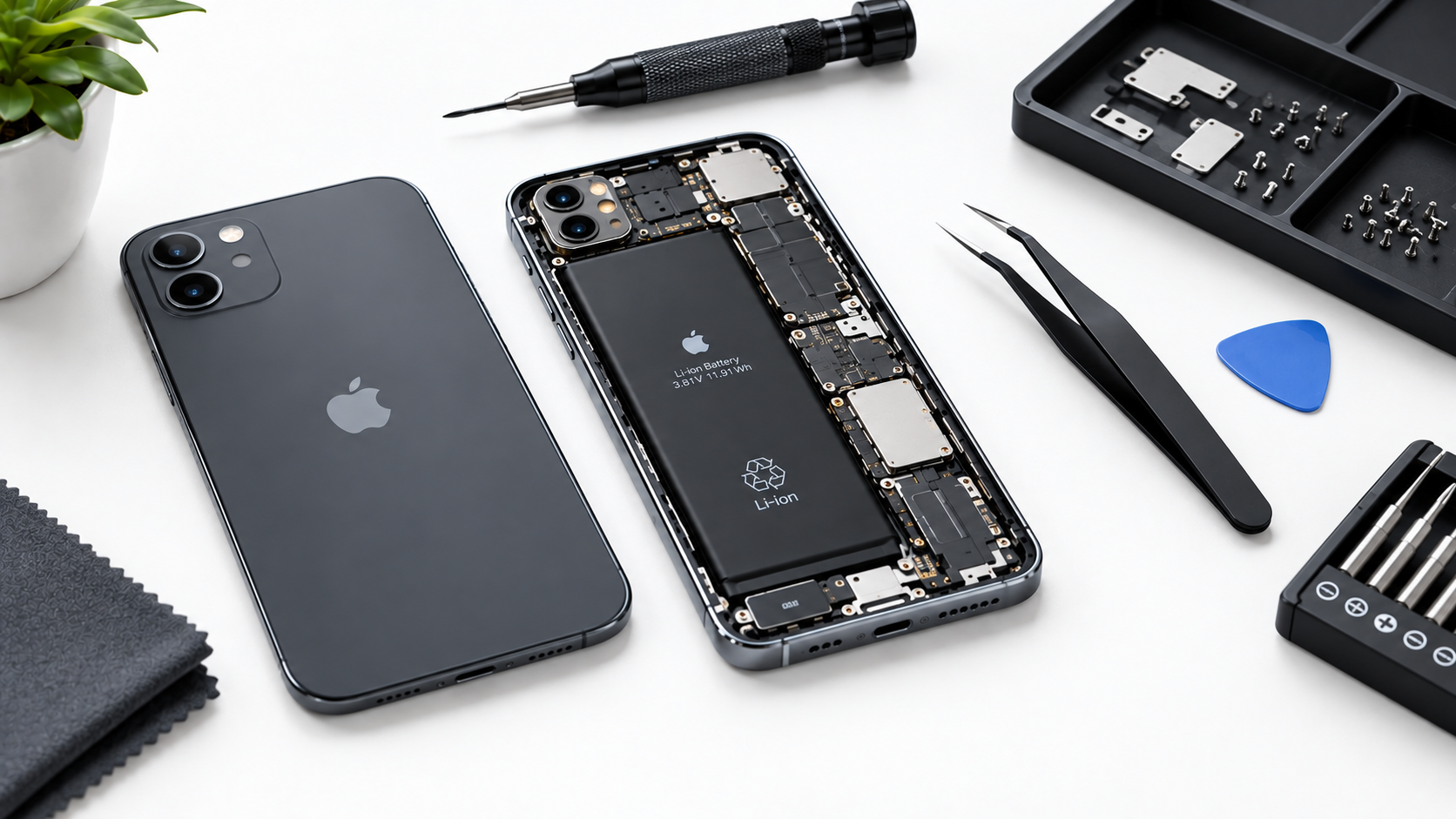
In some cases, a charging cap at 80% isn’t due to software or settings—it’s a sign of hardware damage that requires professional repair. Consider reaching out to a certified technician or your device’s manufacturer support team if you notice any of these red flags:
- The 80% charging cap occurs even at optimal temperatures with an official, certified charger.
- Your phone’s battery has swollen, a common sign of internal cell damage that prevents full charging and can pose safety risks.
- The charging port is visibly damaged, corroded, or loose, which disrupts power delivery and limits charging capacity.
For devices under manufacturer warranty, contact support first—they may offer a free battery replacement or repair for covered issues. For out-of-warranty phones, compare the cost of repair to the price of a new device to decide if it’s worth fixing, as some older models may have replacement costs close to the device’s value.
To wrap up, the issue of phone charging stopping at 80% is almost always a protective feature, not a failure—whether it’s designed to preserve battery health, regulate temperature, or optimize performance over time. By adjusting your device’s settings, checking for temperature-related issues, and using certified chargers, you can often resolve the cap if you need full charging, while keeping your battery healthy long-term. If basic fixes don’t work, updating your software or calibrating your battery may do the trick, and professional help is available for hardware-related problems. Remember that balancing charging speed and battery lifespan is key to getting the most out of your smartphone over its intended use period.
Everything above about “phone charging stops at 80%” is originally written by our editorial team. Reproduction is strictly prohibited.