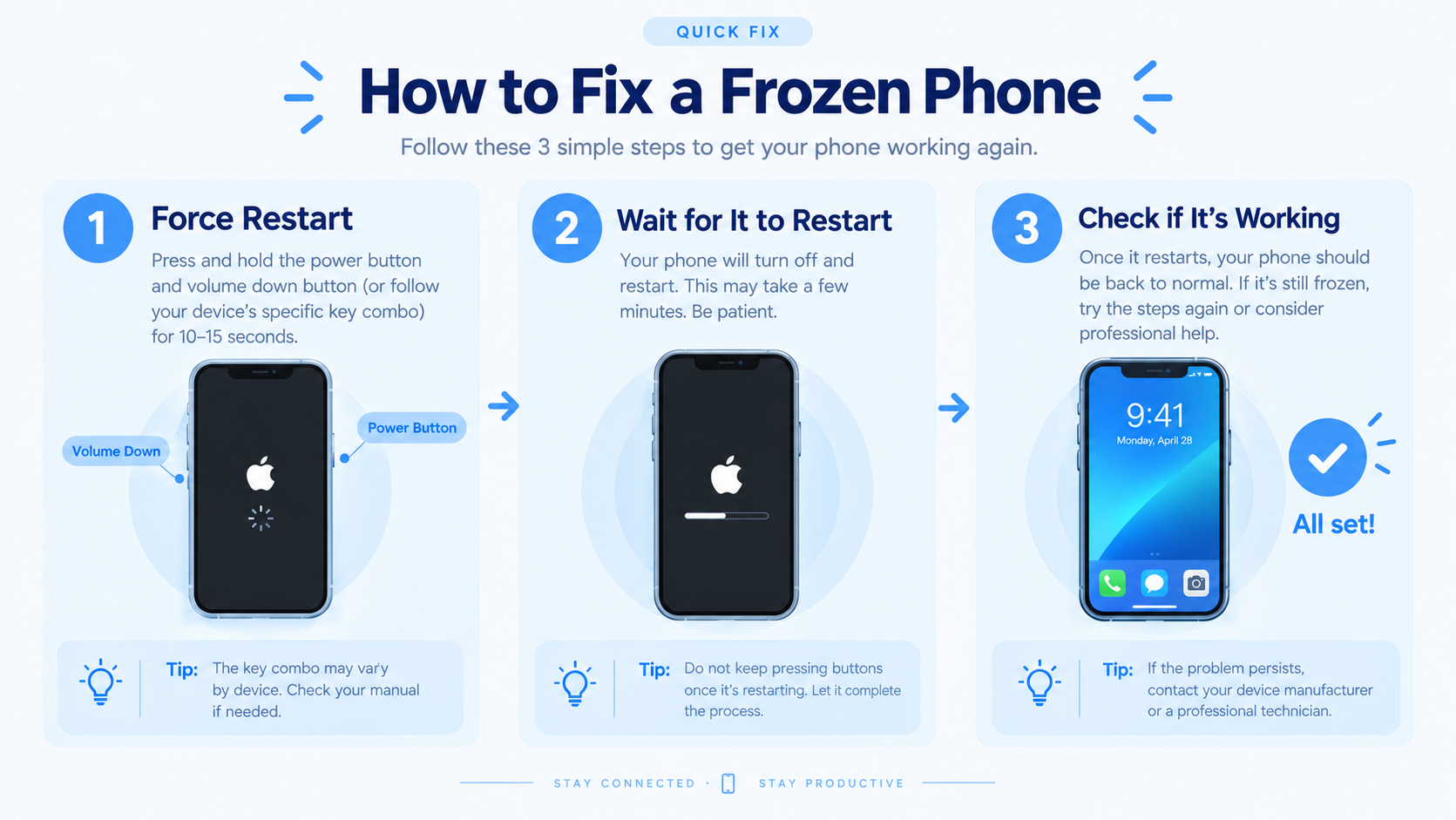
If you’re a Xiaomi user, encountering a situation where your Xiaomi phone freezes randomly can disrupt daily tasks—from scrolling social media to making urgent calls. This issue, common across Mi, Redmi, and Poco series devices, often stems from minor software glitches, overloaded RAM, or incompatible apps, but it’s easy to resolve with targeted troubleshooting steps that range from quick fixes to deep system adjustments.
Immediate Troubleshooting Steps for Sudden Freezes
When a random freeze hits, the first action is to avoid forceful tapping or holding the screen, as this can worsen the system’s instability. Instead, a force restart is the most reliable quick fix: for all Xiaomi models, hold the Power button and Volume Down button together for 10 to 15 seconds until the Xiaomi logo appears, which forces the device to reboot and clears temporary memory bugs that cause freezes. This step works even if the screen is unresponsive, making it ideal for sudden, unplanned freezes.
Close Background Apps to Reduce RAM Load
Xiaomi’s MIUI is designed to keep frequently used apps running in the background for quick access, but too many active apps can overburden the device’s RAM, leading to freezes. To clean up background processes, open the recent apps menu: swipe up from the bottom of the screen and hold for 2 seconds (for MIUI 12 and above) or tap the square icon at the bottom right. Tap “Clear All” to close all background apps, which immediately frees up RAM and reduces the risk of random freezes. For apps you rarely use, disable auto-start permissions in Settings > Apps > Manage Apps > [App Name] > Autostart to prevent them from running silently in the background.
Remove Recently Installed Problematic Apps
If the freeze started right after installing a new app, that app is likely incompatible with MIUI or has hidden bugs. Uninstalling it can stop recurring freezes; go to Settings > Apps > Manage Apps, select the suspicious app, and tap “Uninstall”. For extra caution, check the app’s permissions—if it requests access to features it doesn’t need (like a flashlight app asking for SMS permissions), revoke unused permissions to minimize its impact on the system.
- Disconnect external accessories like OTG drives, Bluetooth headphones, or USB cables, as these can trigger system conflicts that cause freezes
- Check for low internal storage: Xiaomi phones require at least 10% free storage to run smoothly; anything below this can lead to random freezes or slow performance
- Switch back to the default MIUI launcher if you use a custom third-party launcher, as custom launchers often have compatibility issues with Xiaomi’s software
Deep Fixes for Persistent Random Freezes
If immediate steps don’t resolve the freeze issue, the problem is likely deeper—from outdated MIUI to corrupted system caches. These targeted fixes address underlying software issues that cause recurring freezes.
Update MIUI to the Latest Stable Build
Outdated MIUI versions often include unpatched bugs that lead to random freezes. Xiaomi releases monthly stable updates that fix performance issues, optimize RAM management, and resolve compatibility problems with apps. To check for updates, go to Settings > About Phone > System Update. Tap “Check for Updates” and download the latest stable version; avoid beta versions, as they have experimental features that can cause instability. After updating, restart your device to apply all changes, which can eliminate persistent freezes in most cases.
Clear Corrupted Cache Partition in Recovery Mode
Corrupted system caches (temporary files stored to speed up app loading) can cause system instability and random freezes. Clearing the cache partition is a safe step that doesn’t delete personal data like photos, messages, or apps. To do this: power off your Xiaomi phone, then hold the Power button and Volume Up button simultaneously until the MIUI recovery mode menu appears. Use the Volume keys to navigate to “Wipe Cache Partition”, select it with the Power button, wait for the process to complete, then choose “Reboot System Now”. This step removes corrupted temporary files that are likely causing the freezes.
Tweak MIUI Performance Settings
MIUI’s default settings prioritize battery life over performance, which can lead to freezes during high-demand tasks like gaming or video streaming. To adjust: go to Settings > Battery & Performance, and switch from “Ultra Saver” or “Power Saver” mode to “Standard” mode to boost performance. For devices with 8GB+ RAM, enable “Memory Boost” in Settings > Additional Settings > Memory Boost, which allocates extra RAM to active apps. Additionally, reduce animations to lower GPU strain: go to Settings > Additional Settings > Developer Options, set Window Animation Scale, Transition Animation Scale, and Animator Duration Scale to 0.5x, or turn them off entirely—this reduces visual lag and prevents freezes during transitions.
Preventive Measures to Avoid Future Freezes
Once you’ve fixed the random freezes, proactive steps can keep your Xiaomi phone running smoothly long-term. First, limit simultaneous heavy app usage: avoid running more than 3-4 apps that use high RAM (like games, video editors, and navigation apps) at once, as this overworks the device. Second, only install apps from trusted sources: stick to the Google Play Store or Xiaomi’s GetApps store, as third-party apps can carry malware or incompatible code that disrupts MIUI. Also, restart your phone at least once a week to clear accumulated temporary files, which helps maintain optimal performance. Finally, keep an eye on storage: delete unused photos, videos, and apps regularly to ensure at least 10% free storage, which is critical for avoiding system freezes.
Random freezes on Xiaomi phones are a common, solvable issue that rarely requires professional repair. By starting with immediate fixes like force restarts and background app management, then moving to deep steps like MIUI updates and cache clearing, you can resolve most freezes. For long-term prevention, following simple habits like safe app installs and regular restarts will keep your device stable. If the problem persists after all troubleshooting, it may be a rare hardware issue, but proper software care will prevent this in most cases.
Everything above about “Xiaomi phone freezes randomly” is originally written by our editorial team. Reproduction is strictly prohibited.