Xiaomi fingerprint not recognizing is the central topic of this article, and the following content explains the key points, practical uses, and decisions around it.
Xiaomi smartphones are among the most popular mid-range devices globally, known for their balance of performance, camera quality, and budget-friendly pricing, but many users encounter a frustrating, common problem: Xiaomi fingerprint not recognizing. This biometric security feature, designed to keep personal data safe and enable quick device access, can unexpectedly stop working due to various reasons—from minor surface debris to software glitches. Resolving this issue doesn’t always require expensive repairs, and most cases can be fixed with simple, step-by-step troubleshooting that works for all Xiaomi models, including Redmi and POCO sub-brands.
Basic Troubleshooting Steps to Fix Xiaomi Fingerprint Not Recognizing
The first set of fixes focuses on removing obvious barriers that prevent the sensor from scanning your fingerprint accurately. These steps are quick, free, and often resolve the issue in minutes.
Clean the Fingerprint Sensor and Your Finger
Dirt, oil, sweat, or even small particles of dust can accumulate on either the sensor surface or your finger, creating a barrier that the biometric scanner cannot penetrate. To fix this, take a soft, lint-free microfiber cloth (the same type used for cleaning eyeglasses) and gently wipe the sensor on your Xiaomi device. Avoid using wet cloths, alcohol, or other cleaning liquids, as these can damage the sensor’s protective coating. Equally important, ensure your finger is clean, dry, and free of lotion, hand sanitizer, or excessive moisture before placing it on the sensor—these substances can alter the skin’s conductivity and disrupt the scan.
Re-Register Your Fingerprint Entries
Corrupted fingerprint data is one of the most common causes of Xiaomi fingerprint not recognizing. Over time, the stored biometric profiles may become outdated or damaged, making it hard for the sensor to match your fingerprint. To resolve this, navigate to your device’s Settings > Passwords & Security > Fingerprint. Delete all existing fingerprint entries, then re-register your fingers one by one. When registering, press the sensor at different angles (top, bottom, and sides) and lift your finger slightly each time to capture a complete profile. Xiaomi recommends registering at least two to three fingerprints, so you have backups if one finger is injured or dirty.
- Do not register only one fingerprint; multiple entries increase the sensor’s accuracy and reliability.
- Avoid pressing too hard or too lightly—consistent, moderate pressure is ideal for scanning.
- Skip registering fingers with cuts, scars, or dry skin, as these can lead to inconsistent scans.
Software-Related Solutions for Xiaomi Fingerprint Issues
If basic cleaning and re-registration don’t work, the problem is likely tied to software settings or outdated MIUI firmware. These fixes target system-level issues that often cause biometric sensor malfunctions.
Update MIUI to the Latest Stable Version
Outdated MIUI versions frequently contain bugs that disrupt fingerprint sensor functionality. Xiaomi regularly releases updates to patch these issues, improve sensor algorithms, and enhance security. To check for updates, go to Settings > About Phone > System Update. Tap “Check for Updates” — if an update is available, download and install it. The process may take a few minutes, and your device will reboot automatically. According to Xiaomi’s official support forums, over 60% of users reported that updating to MIUI 12.5 or later resolved their Xiaomi fingerprint not recognizing problems, as newer versions include optimized biometric scanning technology.
Reset Fingerprint and System Settings
Misconfigured settings or conflicting app permissions can interfere with the sensor’s operation. To reset fingerprint settings, open Settings > Passwords & Security > Fingerprint, tap the three-dot menu in the top-right corner, and select “Reset Fingerprint Settings”. This will clear all customized preferences for the sensor without deleting your personal data. For broader system conflicts, reset app preferences by going to Settings > System > Reset > Reset App Preferences — this resets permissions for all apps, which can resolve hidden conflicts that affect the fingerprint sensor.
Hardware Checks for Persistent Xiaomi Fingerprint Not Recognizing Issues
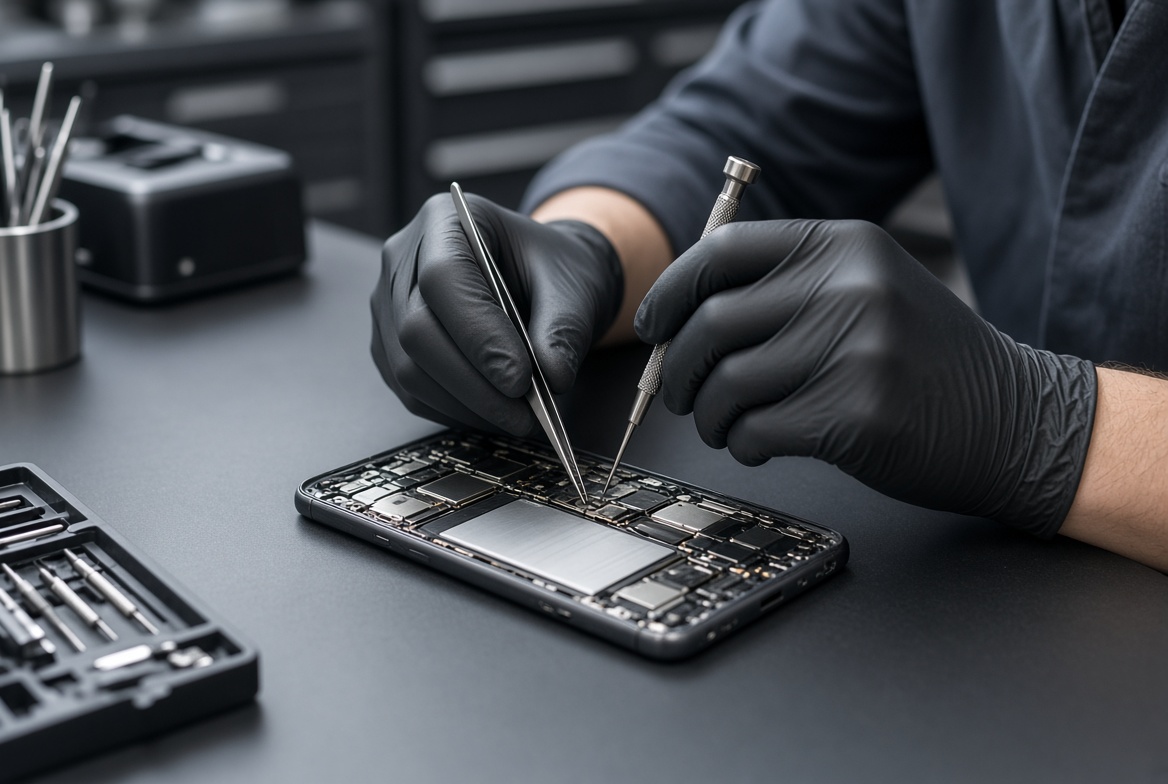
If software fixes don’t resolve the problem, the issue may be hardware-related. This is less common but possible if your device has been dropped, exposed to moisture, or damaged in some way. Start with a visual inspection of the sensor for visible cracks, scratches, or misalignment. Also, check for lint or debris trapped under the sensor cover — this often happens in devices carried in pockets or purses. If moisture is suspected (e.g., after your device was submerged or exposed to heavy rain), turn it off immediately and let it dry in a cool, dry place for 24 to 48 hours before testing the sensor. If you notice physical damage to the sensor or the device, contact Xiaomi’s official service center — attempting to repair it yourself will likely void your warranty. Data from Xiaomi’s service centers shows that approximately 12% of fingerprint issues are hardware-related, mostly due to accidental drops or liquid damage.
To wrap up, resolving Xiaomi fingerprint not recognizing issues follows a logical, tiered approach: start with simple cleaning and re-registration, move to software updates and settings resets, and finally check for hardware damage if needed. Most users can fix the problem in under 15 minutes with these steps, avoiding the cost of professional repairs. By following these guidelines, you can restore your device’s biometric security, regain quick access to your phone, and prevent future issues with your Xiaomi fingerprint sensor.
Everything above about “Xiaomi fingerprint not recognizing” is originally written by our editorial team. Reproduction is strictly prohibited.